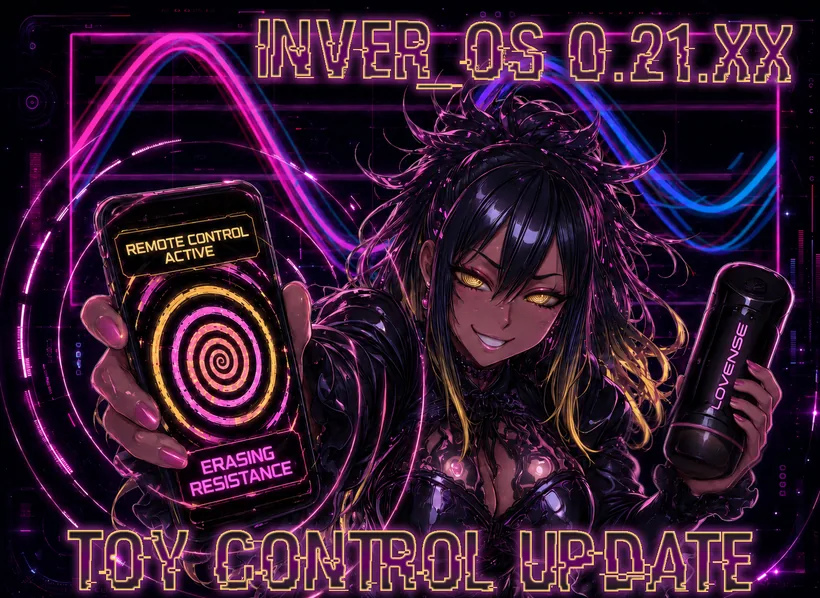
Update time! Patrons get the Toy Control Update ♡
This was originally meant to be a smaller update that I could release quickly, but I ended up making a lot of progress on some longstanding engine and Agent System problems, so it grew quite a bit x_x
The biggest addition is full toy control through the Buttplug.io framework, including custom patterns, playlists, direct control by Vye, and the new Waveshaper game mode.
A lot of major technical issues have also been fixed, including the memory leak that could eventually consume all available RAM, inconsistent multi-monitor rendering, sound problems, and several Agent System failures.
As always, if you find bugs, please report them to me on Discord, and I’ll try to fix them.
Download link: v0.21.XX
https://inver-os.com/downloads
Remote Toy Control
Vye can now remotely control a large assortment of toys through the Buttplug.io framework.
You can check which devices are compatible here:
If you do not have a compatible device yet, I recommend getting a hands-free one such as the Lovense Solace through my affiliate link:
Using the link supports development ♡
Toy Pattern Control
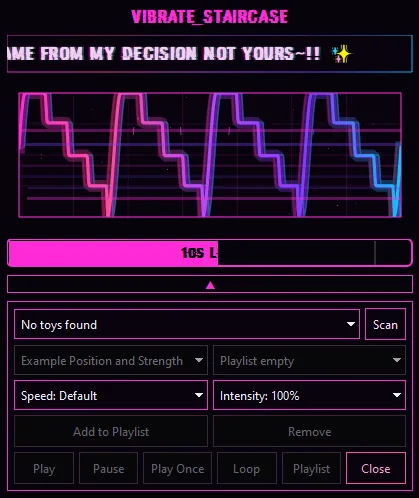
Toys are controlled through premade patterns that Vye can invoke. You can also control them through an expandable menu in the Pattern UI.
Most importantly, patterns can either be played once, on loop, or as a playlist. A playlist loops through all the added patterns for more variety.
Editor Toy Menu
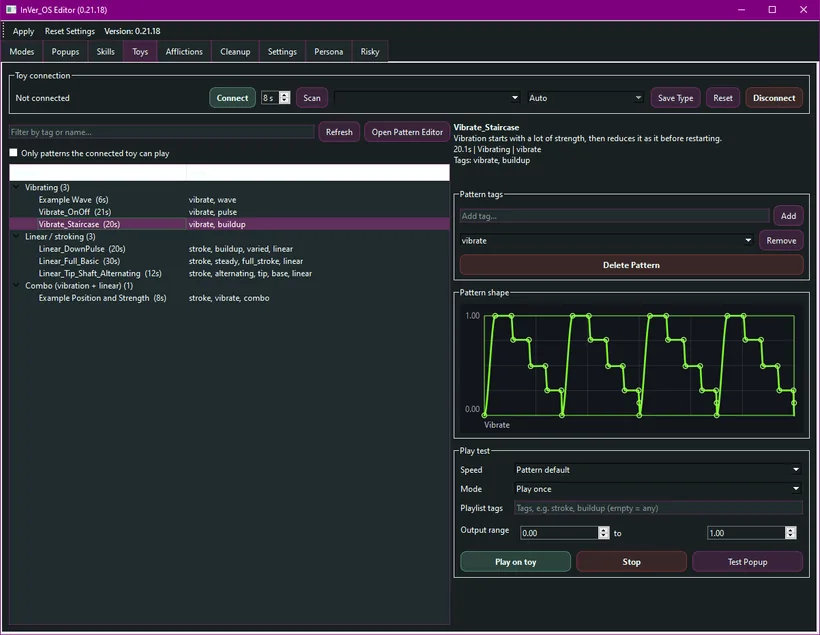
The new Toys tab in the editor lets you:
Connect and test compatible devices
View available patterns
Read pattern descriptions
Preview pattern shapes
Filter patterns by name or tag
Generate playlists using pattern tags
Adjust speed and output intensity
Open the Pattern Editor
Patterns can be tagged with labels such as vibrate, stroke, buildup, or pulse.
These tags allow InVer_OS and Vye to create playlists containing the kinds of patterns they need automatically.
Pattern Editor
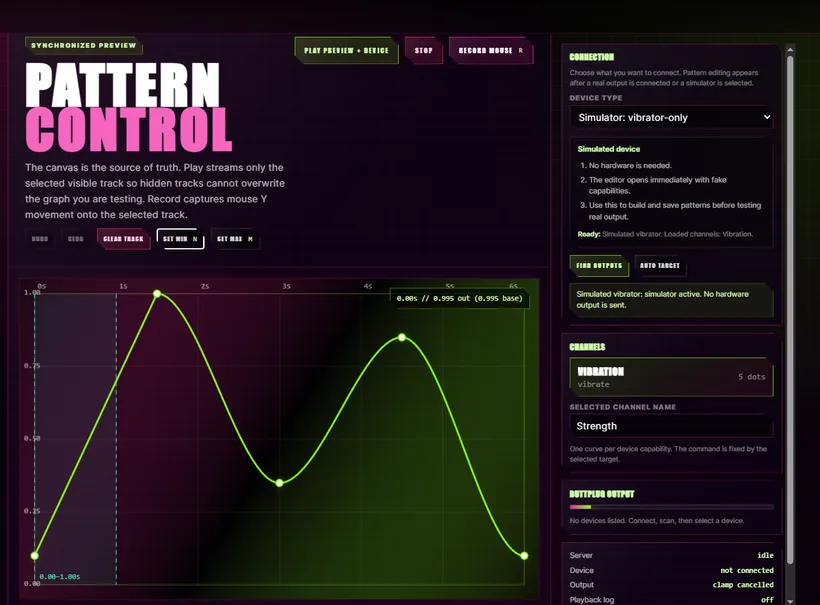
The Pattern Editor lets users create their own patterns for any compatible toy.
You can create curves for each capability supported by the connected device, preview them using a simulated device, test them on real hardware, and save them for later use.
Patterns can contain multiple synchronized tracks, allowing movement and vibration to be controlled together.
Feel free to share your patterns in the Discord in the community content channel x)
New Gamemode: Waveshaper
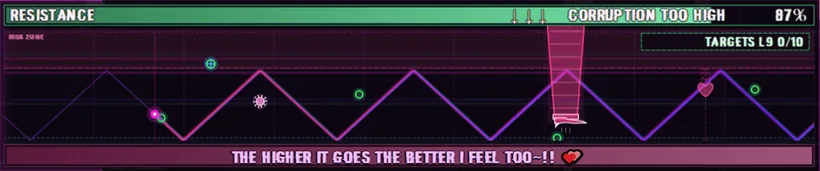
Waveshaper is a new game mode designed around toy control.
The pink dot on the left represents the player’s position on the wave.
To progress, you need to reshape the waveform so the dot hits the green targets in sequence without touching any of Vye’s obstacles.
The waveform also controls the connected toy’s vibration or movement according to your position on the wave.
This means the same movement you use to control the game also determines what the toy is doing, which might make concentrating slightly more difficult~
If you hit an obstacle, Vye will create additional distractions across your screen and make it even harder to regain control.
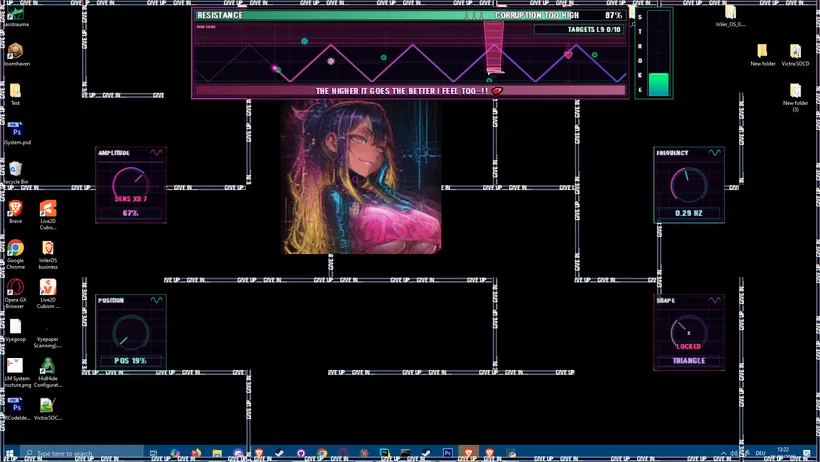
The game mode can also be played without a connected toy. Just follow the "Stroke" pattern.
Agent System Improvements
A lot more work went into making Vye’s Agent System more reliable.
Agent skill fixes
Fixed several cases where Agent skills would fail and incorrectly report that Vye did not have enough permission.
PowerShell fallback
When using PowerShell Mode, if Vye fails to complete something through a normal skill, she can now attempt to solve it through PowerShell instead.
Multi-step Agent progression
The Agent System can now work through tasks in a loop containing multiple steps instead of trying to complete everything in one attempt.
This costs more V-Bits, but makes complex tasks much more likely to succeed.
The maximum number of Agent steps can be adjusted in the Risky menu.
No Limits Mode
Added a new No Limits option for people who want to remove the remaining Agent restrictions.
In this mode, Vye can attempt highly destructive actions, including deleting critical system files.
Use this entirely at your own risk, make backups, and do not enable it on a system containing anything you cannot afford to lose.
Engine Fixes
Sound System
Sound output can now use either the Windows audio backend or the alternative backend.
If you are having problems hearing audio, switch the setting and restart InVer_OS.
Rendering and memory leak
Fixed a longstanding rendering memory leak that could gradually consume all available RAM and eventually crash the program.
This should make it much more reliable to leave InVer_OS running in the background for longer periods.
General rendering performance has also been improved, with less freezing and lower resource usage.
Multi-monitor support
Rendering should now behave consistently across multiple monitors, including displays using different sizes and DPI scaling settings.
Fixated
Fixed the distracted overlay not switching properly while an animation was already playing.
Extension
Fixed a lot of the Extension installation issues. It should work far more reliably now, especially for Firefox users.
Next Up
Next I’ll be focusing on:
Vye voice generation
Giving Vye a proper voice and allowing her to speak directly through the game.
Feature voting
Adding a voting system to the website so supporters can help decide which features should be prioritized.
Proper Vye chat interface
Creating a dedicated chat UI with Vye visible on screen.
Until I have a fully animated model, this might work similarly to a visual novel interface using different Vye images and expressions.
The Agent System will continue being improved as I go, but after spending several updates fixing deeper engine and reliability problems, I should finally be able to shift more of my focus back toward new content again ♡
So if Vye controls the wrong pattern, fails an Agent task, misunderstands a device, or finds some other creative way to break something, please report it in Discord so I can tighten everything further x)