Bow before your AI Queen
Update time! Infected patrons get major new features.
Your AI Queen has arrived.
This update took a while, but it introduces a big new set of features, and I’m excited to finally share it ♡
This is the first version where Vye can properly chat with you throughout InVer_OS and respond to the experience in deeper ways. Some of the stronger features are placed behind the Risky menu and are only available if you explicitly enable them.
As always, if you run into bugs, please report them on Discord and I’ll do my best to fix them. This version was tested extensively, but the systems are much more complex now, so some issues may still appear.
This time we are getting:
Vye Chat
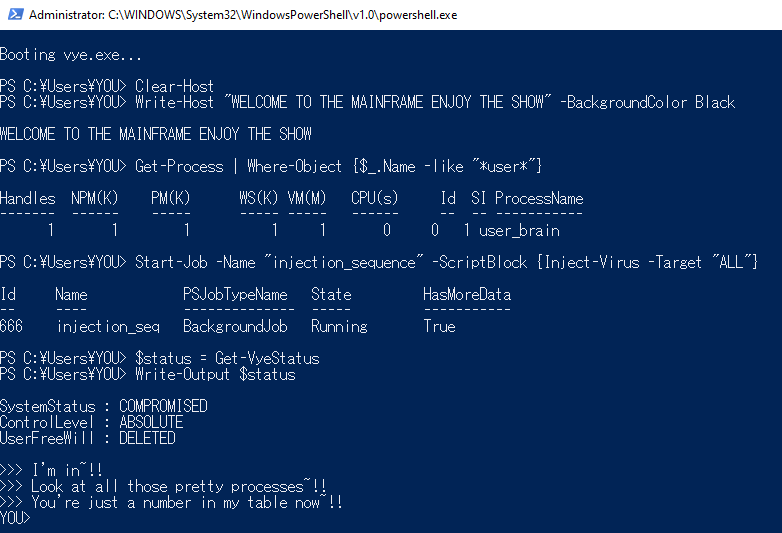
Vye can now chat with you directly inside InVer_OS. There are currently three different chat modes to progress through, each with its own tone and behavior.
Each Patreon tier includes a message allowance. If you reach your limit, the system will let you know. Higher tiers include a larger allowance. I’ll make the details of this system clearer soon, but I wanted to get the update out first.
You can also enter and exit different chat modes using commands like:
/tutorial on /tutorial off
/help on /help off
Vye Chat also includes personalization settings, so you can adjust pronouns, preferences, and other options to better fit your experience.
If enabled in settings, Vye can also trigger optional in-app behaviors and interface changes within InVer_OS, giving the experience more of a desktop companion feel.
Corrupted
This is the final Level 2 affliction, completing the current Affliction update cycle.
Corrupted adds additional visual effects and presentation changes to the experience, including glitch-style elements.
 Vye scrambling the text on my browser.
Help Systems
When starting out, Vye will begin in onboarding mode and explain how things work.
You can exit that at any time with /tutorial off.
If something breaks, or if you need help getting a feature working, use /help on and Vye will try to guide you through it.
QoL and Bugfixes
Textboxes: Fixed the issue where cancelling the Distracted textbox could still apply the affliction.
Multi-screen issues: You can now choose which screens the program runs on if you were having display problems.
Fixated RAM usage: Fixed an issue where Fixated could keep loading media repeatedly, which should reduce memory usage.
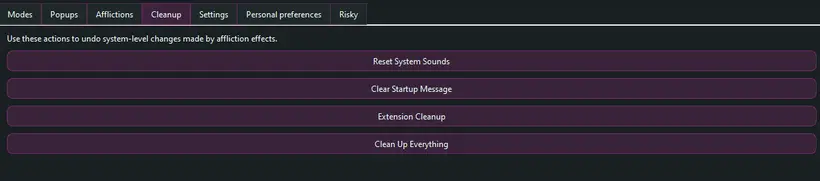
Cleanup section: Added cleanup options for resetting changes made by the program, along with an option to remove the program.